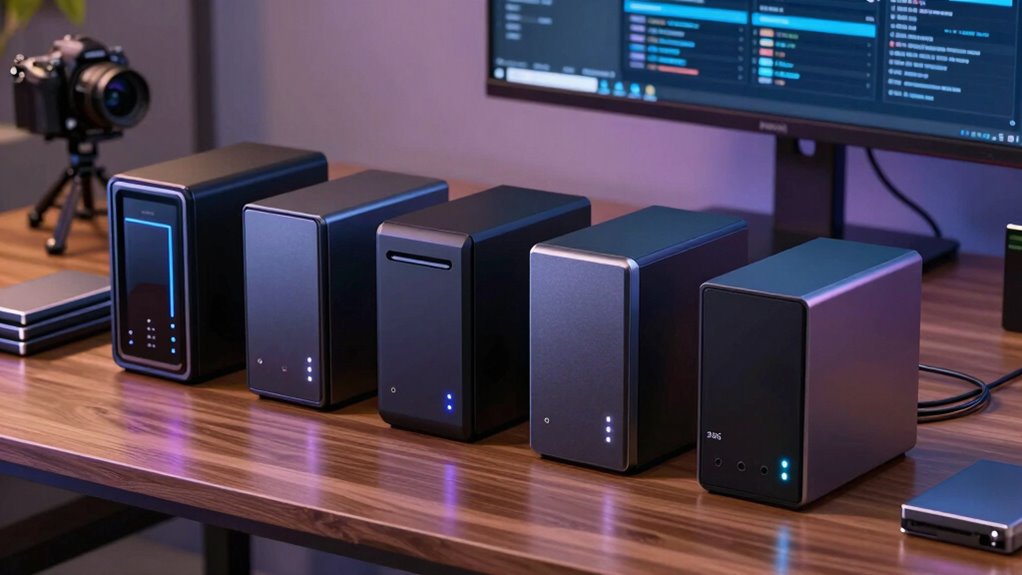

Retirement records — pension statements, tax filings, Social Security documents, medical paperwork — are exactly the kind of files you cannot afford to lose, and a network-attached storage (NAS) device gives you a private, redundant backup that doesn’t depend on a subscription cloud service. The Synology DS425+ stands out as the best overall pick for this job, combining four drive bays for flexible RAID redundancy with Synology’s famously approachable DSM software and excellent Btrfs snapshot protection against accidental deletion or ransomware. If your budget or desk space is tighter, the UGREEN NAS DH2300 is a beginner-friendly two-bay alternative that handles phone and document backups with minimal setup friction, while the Synology BeeStation is the simplest possible entry point for anyone who wants plug-in-and-forget file protection. The main tradeoff in this category is redundancy versus simplicity: more bays and better software cost more and demand a bit more learning, while single-bay and pre-populated units trade peace of mind for convenience. Continue reading for the full breakdown, including which drives to pair with your enclosure.

Get home office essentials delivered free with Prime
- Fast, free delivery on millions of items
- Prime Video, Amazon Music and more included
- Member-only deals all year
Key Takeaways
- Synology‘s DSM software remains the deciding factor for document backup — its Snapshot Replication and versioned Hyper Backup give retirement records far better protection against accidental deletion than raw hardware specs alone.
- Two bays in RAID 1 is the practical sweet spot for most households; the four-bay picks (DS425+, DS925+, DXP4800 Plus) only justify themselves if you’re also storing media or backing up multiple computers.
- The two included-drive options — Buffalo LinkStation 210 and Synology BeeStation — remove setup guesswork but skip RAID redundancy, making them starter backups rather than final destinations for irreplaceable records.
- Hard drive choice matters as much as enclosure choice: NAS-rated drives like the Seagate IronWolf are built for always-on operation, and desktop drives in a NAS enclosure are a common false economy.
- UGREEN‘s lineup offers stronger raw hardware per dollar than Synology, but its software ecosystem for scheduled, encrypted, off-site-replicated backups is younger and less proven — a real consideration for records you’ll rely on for decades.
| Yxk Zero1 2-Bay Desktop NAS for Home & Personal Storage (Diskless) |  | Best Budget Starter Pick | Drive Bays: 2 (diskless) | RAM: 4GB | Network: 2.5GbE | VIEW ON AMAZON | See Our Full Breakdown |
| Synology DS425+ Private Cloud Media Server (4-Bay Diskless NAS) |  | Best Premium Redundancy | Drive Bays: 4 (diskless) | Throughput: Up to 278 MB/s | Concurrent Users: 10+ | VIEW ON AMAZON | See Our Full Breakdown |
| UGREEN NAS DH2300 2-Bay for Beginners & Personal Users |  | Best for Beginners | Drive Bays: 2 (diskless) | Max Capacity: 64TB (RAID 0) | RAM: 4GB (onboard) | VIEW ON AMAZON | See Our Full Breakdown |
| Synology 4-Bay DiskStation DS925+ (Diskless) |  | Best for Growing Archives | Drive Bays: 4, expandable to 9 with expansion unit | NVMe Slots: 2x M.2 NVMe (cache) | Network: Dual 2.5GbE | VIEW ON AMAZON | See Our Full Breakdown |
| Seagate 8TB IronWolf Internal NAS Hard Drive (ST8000VNZ04) |  | Best Drives to Fill Your NAS | Capacity: 8TB | Form Factor: 3.5-inch internal | Interface: SATA 6 Gb/s | VIEW ON AMAZON | See Our Full Breakdown |
| Synology DS223 Home & Office Backup Hub (2-Bay Diskless NAS) |  | Best Overall for Retirement Record Backup | Drive Bays: 2 (diskless) | RAID Support: RAID 1 mirroring supported | Backup Targets: Local, external drives, and cloud | VIEW ON AMAZON | See Our Full Breakdown |
| Synology 2-Bay DiskStation DS223j (Diskless) |  | Best Budget Synology Pick | Drive Bays: 2 (diskless) | RAID Support: RAID 1 mirroring supported | Dimensions: 6.5″D x 3.94″W x 8.9″H | VIEW ON AMAZON | See Our Full Breakdown |
| LincStation N1 6-Bay NAS Storage (Diskless) |  | Best for Tinkerers and Redundancy-Focused Setups | Drive Bays: 2x 2.5″ SATA + 4x M.2 NVMe 2280 (diskless) | Processor: Intel N5105 quad-core up to 2.9 GHz | Memory: 16GB RAM, 128GB eMMC | VIEW ON AMAZON | See Our Full Breakdown |
| Synology DS225+ Private Cloud Media Server (2-Bay Diskless NAS) |  | Best Premium 2-Bay Pick | Drive Bays: 2 (diskless) | Transfer Speed: Up to 282 MB/s | Data Protection: RAID redundancy, snapshots, automated backups | VIEW ON AMAZON | See Our Full Breakdown |
| BUFFALO LinkStation 210 6TB 1-Bay NAS |  | Best Plug-and-Play Value (Drive Included) | Drive Bays: 1 (6TB HDD included) | Capacity: 6TB | RAID Support: None (single drive) | VIEW ON AMAZON | See Our Full Breakdown |
| UGREEN DXP4800 Plus 4-Bay NAS |  | Best High-Performance Pick | Drive Bays: 4 (plus 2x M.2 NVMe slots) | Max Capacity: Up to 144TB (drives sold separately) | CPU: Intel 8505 5-core | VIEW ON AMAZON | See Our Full Breakdown |
| UGREEN NAS DXP2800 2-Bay |  | Best Value for Growing Archives | Drive Bays: 2 (plus 2x M.2 NVMe slots) | Max Capacity: Up to 80TB (drives sold separately) | CPU: Intel N100 quad-core | VIEW ON AMAZON | See Our Full Breakdown |
| UGREEN NAS DXP4800 GT 4-Bay |  | Best Premium Pick | Drive Bays: 4 SATA (up to 2 bays U.2 NVMe compatible) plus 2x M.2 | Max Capacity: Up to 144TB (drives sold separately) | CPU: AMD Ryzen Embedded R2514, 4 cores / 8 threads, up to 3.70GHz | VIEW ON AMAZON | See Our Full Breakdown |
| Synology BeeStation 4TB Personal Cloud Storage (BST150-4T) |  | Best for Absolute Simplicity | Drive Bays: 1 (4TB drive included) | Capacity: 4TB, non-expandable | Setup: QR-code guided onboarding | VIEW ON AMAZON | See Our Full Breakdown |
| nas for retirement record backup | Drive Bays | Warranty |
|---|---|---|
| Yxk Zero1 2-Bay Desktop NAS fo | 2 (diskless) | — |
| Synology DS425+ Private Cloud | 4 (diskless) | 3 years |
| UGREEN NAS DH2300 2-Bay for Be | 2 (diskless) | — |
| Synology 4-Bay DiskStation DS9 | 4, expandable to 9 with expansion unit | 3-year limited hardware warranty |
| Seagate 8TB IronWolf Internal | — | 3 years + 3 years Rescue Data Recovery |
| Synology DS223 Home & Office B | 2 (diskless) | 2 years |
| Synology 2-Bay DiskStation DS2 | 2 (diskless) | 2 years |
| LincStation N1 6-Bay NAS Stora | 2x 2.5" SATA + 4x M.2 NVMe 2280 (diskless) | 2 years with 24/7 support |
| Synology DS225+ Private Cloud | 2 (diskless) | 3 years |
| BUFFALO LinkStation 210 6TB 1- | 1 (6TB HDD included) | 2 years including hard drives |
| UGREEN DXP4800 Plus 4-Bay NAS | 4 (plus 2x M.2 NVMe slots) | 2 years |
| UGREEN NAS DXP2800 2-Bay | 2 (plus 2x M.2 NVMe slots) | 2 years |
| UGREEN NAS DXP4800 GT 4-Bay | 4 SATA (up to 2 bays U.2 NVMe compatible) plus 2x M.2 | — |
| Synology BeeStation 4TB Person | 1 (4TB drive included) | — |
More Details on Our Top Picks
Yxk Zero1 2-Bay Desktop NAS for Home & Personal Storage (Diskless)
The Yxk Zero1 makes the list because it gets the basics right at an entry-level price: a 2-bay layout, 2.5GbE connectivity, and 4GB of RAM that together handle document scanning, PDF statements, and photo archives without lag. That 2.5GbE port is the standout — the similarly positioned UGREEN DH2300 only offers 1GbE, so large initial backups of a lifetime of records move more than twice as fast here. Snapshot recovery and flexible RAID modes matter for irreplaceable paperwork, since a botched sync or ransomware event can be rolled back instead of rebuilt.
The tradeoff is maturity. Compared with the Synology DS223, Yxk’s software ecosystem is thinner, its long-term update record is unproven, and its 2-bay ceiling caps how much redundancy headroom you’ll have as archives grow. Docker support is a nice extra, but this is a buy-it-for-simple-backup box, not a platform.
Pros:- 2.5GbE networking moves large first-time backups roughly 2.5x faster than 1GbE rivals
- Snapshot recovery protects against accidental deletion and failed syncs
- Compact, quiet 2.6 lb chassis fits on a desk or shelf
- One-time purchase replaces recurring cloud subscription costs
Cons:- Young brand with an unproven track record on firmware updates and support
- Two bays limit both capacity ceiling and RAID flexibility
- Weaker app ecosystem than established competitors
Best for: Retirees on a fixed budget who want a fast, simple two-drive backup box for scanned documents and family photos without recurring fees
Not ideal for: Buyers who want a proven software ecosystem and years of guaranteed updates — Synology’s DSM platform is the safer bet there
- Drive Bays:2 (diskless)
- RAM:4GB
- Network:2.5GbE
- RAID Support:Multiple flexible RAID modes
- Extras:Docker support, 4K HDMI output, snapshot recovery
- Dimensions:6.7D x 4.1W x 9H inches
- Weight:2.6 lbs
Our verdict“If fast transfers and low cost are the priority and you accept a newer brand, the Zero1 is a sensible entry into private retirement-record storage.”
Synology DS425+ Private Cloud Media Server (4-Bay Diskless NAS)
When the files being protected are decades of tax records, pension statements, and estate documents, drive redundancy stops being optional. The DS425+ earns the premium slot because four bays allow RAID 5 or RAID 6 — one or even two drives can fail without losing a byte, something no 2-bay unit in this roundup, including the Synology DS225+, can offer. Synology’s multi-layered protection stack of RAID, automated backups, and snapshots means a failure at one layer rarely becomes data loss.
The 278 MB/s throughput and 10+ concurrent user support are honestly overkill for a solo retiree, and that’s the main tradeoff: you’re paying for capacity and capability most personal archives will never tax. Synology’s drive compatibility list is also stricter than UGREEN’s or Yxk’s, so budget drives may not be officially supported. Still, for a household that wants a set-and-forget vault, this is the strongest safety margin in the lineup.
Pros:- Four bays enable RAID 5/6 for surviving one or two drive failures
- Mature DSM platform with snapshots, versioned backups, and granular permissions
- Strong 278 MB/s throughput handles large transfers and multiple users
- 3-year warranty with established support channels
Cons:- Highest cost in this batch before adding four drives
- Strict official drive compatibility list limits budget HDD choices
- More capacity and speed than a typical personal record archive needs
Best for: Households with large, irreplaceable archives — estate documents, family media libraries — who want multi-drive failure protection and minimal maintenance
Not ideal for: Buyers with modest document-and-photo archives; the extra bays and throughput are wasted money compared with a 2-bay DS223 or DH2300
- Drive Bays:4 (diskless)
- Throughput:Up to 278 MB/s
- Concurrent Users:10+
- Surveillance Support:Up to 30 IP cameras
- Data Protection:RAID, automated backups, snapshots, audit logs
- Warranty:3 years
Our verdict“The DS425+ is the pick when maximum data safety matters more than the upfront spend — buy it for the redundancy, not the speed.”
UGREEN NAS DH2300 2-Bay for Beginners & Personal Users
The DH2300 is the easiest on-ramp in this roundup for someone retiring from cloud subscriptions rather than from another NAS. Its setup path is built for people moving off scattered external drives: plug in two drives, and automatic multi-device backups pull photos and files from Windows, macOS, iOS, and Android without manual fiddling. Compared with the Yxk Zero1, it trades the faster 2.5GbE port for a friendlier app experience and AI photo organization that tags faces and locations — genuinely useful when the archive includes decades of family pictures alongside records.
The compromises are real, though. No Docker, no virtual machines, and a 1GbE port mean this box won’t grow with ambitions the way a UGREEN DXP2800 will, and initial multi-terabyte backups crawl by comparison. Its 64TB maximum capacity (RAID 0) is generous for two bays, but RAID 1 mirrors halve it — the right choice for records, just one to budget for.
Pros:- Beginner-oriented setup with automatic cross-platform backups
- AI photo tagging and duplicate cleanup simplifies decades-old archives
- Certified privacy protections including two-factor authentication and encrypted transfers
- Up to 64TB raw capacity across two bays
Cons:- 1GbE port makes large first-time backups slow compared with 2.5GbE rivals
- No Docker, virtual machine, or SAN support
- Wired Ethernet only — Wi-Fi requires an external USB adapter
Best for: First-time NAS owners migrating from iCloud or Google Photos who value guided setup and automatic phone backups over raw speed
Not ideal for: Tinkerers and anyone expecting to run Docker containers or VMs — this enclosure is closed to expansion
- Drive Bays:2 (diskless)
- Max Capacity:64TB (RAID 0)
- RAM:4GB (onboard)
- Network:1GbE (wired only)
- Transfer Speed:Up to 125 MB/s
- Drive Form Factor:3.5-inch SATA
- Extras:AI album, HDMI, RAID modes, 2FA
Our verdict“For a retiree who wants hands-off phone and document backups with the least learning curve, the DH2300 is the least intimidating option here.”
Synology 4-Bay DiskStation DS925+ (Diskless)
The DS925+ sits in a deliberate middle ground: four bays now, and expansion to nine drives with a Synology expansion unit later. That makes it the right shape for someone whose archive is still growing — ongoing contributions, a spouse’s files, grandchildren’s photos — where the DS425+ is already complete and the 2-bay units will hit a wall. Dual 2.5GbE ports add both speed and link redundancy, and 522/565 MB/s sequential throughput means initial multi-drive loads finish in hours rather than days.
Two M.2 NVMe slots are reserved for caching rather than raw storage pools, which limits how you can use fast SSDs — a narrower design than the SSD-friendly LincStation N1. And like all Synology units, drive compatibility is curated, so check the list before buying disks. It’s also a lot of machine for a purely documents-and-PDF archive; this pick makes the most sense for mixed media collections expected to expand.
Pros:- Expandable to nine drives with an expansion unit
- Dual 2.5GbE ports provide speed plus network failover
- Two M.2 NVMe slots for performance caching
- Mature DSM software for backup, sync, and photo management
Cons:- NVMe slots are cache-only, not usable as main storage pools
- Premium price before drives; expansion units add further cost
- Strict drive compatibility list rules out many budget HDDs
Best for: Households whose archives will keep growing and want a clear upgrade path without replacing the NAS later
Not ideal for: Set-and-forget buyers with a fixed archive size — the expansion capability goes unused and a 2-bay model costs far less
- Drive Bays:4, expandable to 9 with expansion unit
- NVMe Slots:2x M.2 NVMe (cache)
- Network:Dual 2.5GbE
- Throughput:Up to 522/565 MB/s read/write
- OS:Synology DiskStation Manager (DSM)
- Warranty:3-year limited hardware warranty
- Weight:2.26 kg
Our verdict“Buy the DS925+ if your record and media collection will outgrow four bays — skip it if your archive is already at its final size.”
Seagate 8TB IronWolf Internal NAS Hard Drive (ST8000VNZ04)
Every enclosure in this roundup ships diskless except Buffalo’s, which means the drives are half the buying decision. The IronWolf 8TB earns its spot because it’s purpose-built for 24/7 NAS duty: rotational vibration sensors keep it stable when packed beside a second drive, and the CMR recording technology behaves predictably in RAID — unlike repurposed desktop drives that can drop out of arrays. A pair in RAID 1 gives 8TB of mirrored storage, ample for a lifetime of scanned retirement records.
What separates it from cheaper desktop drives is the 3-year Rescue Data Recovery Service, a safety net that matters when the disks hold irreplaceable paperwork. The tradeoffs: it’s a 3.5-inch internal drive, so it fits enclosures like the DS223 or DH2300 but not the LincStation N1’s 2.5-inch bays, and 7200 rpm means more audible hum than a 5400 rpm alternative in a quiet living room.
Pros:- NAS-optimized with RV sensors for stable multi-bay RAID operation
- 3-year Rescue Data Recovery Services included
- 256MB cache and 180MB/s sustained performance
- All-CMR recording suits RAID rebuilds and continuous writes
Cons:- 7200 rpm operation is noisier and runs warmer than 5400 rpm drives
- 3.5-inch form factor excludes compact and SSD-only enclosures
- Must buy two for mirroring — single-drive use leaves records unprotected
Best for: Anyone buying a diskless 2-bay or 4-bay enclosure who wants NAS-rated reliability and included data recovery coverage for irreplaceable records
Not ideal for: Owners of M.2-only or 2.5-inch-bay enclosures — this 3.5-inch drive physically won’t fit
- Capacity:8TB
- Form Factor:3.5-inch internal
- Interface:SATA 6 Gb/s
- Rotational Speed:7200 rpm
- Cache:256MB
- Sustained Throughput:Up to 180 MB/s
- Warranty:3 years + 3 years Rescue Data Recovery
Our verdict“Pair two of these with any diskless enclosure in this guide and you get the reliability layer the NAS alone can’t provide.”
Synology DS223 Home & Office Backup Hub (2-Bay Diskless NAS)
For safeguarding decades of retirement paperwork, tax records, and pension statements, the Synology DS223 stands out for the combination buyers actually need: set-and-forget automated backups, full data ownership, and a two-bay design that supports mirroring so a single drive failure never wipes out irreplaceable documents. Compared with the cheaper Synology DS223j, this model delivers a stronger processor and more headroom, which matters when multiple computers and phones back up simultaneously. The DiskStation Manager software is the real draw — it quietly handles version control and multi-destination backups to cloud and external drives without monthly fees. The tradeoff is that drives cost extra, so the true total runs higher than a bundled unit like the Buffalo LinkStation 210, and the two-bay ceiling limits how much you can grow beyond mirrored document storage.
Pros:- Two bays support RAID 1 mirroring so one drive failure doesn’t destroy records
- Automated multi-destination backups for Macs, PCs and mobile devices
- Mature DSM software with version control and 100% data ownership
- 2-year warranty with strong vendor support and ongoing updates
- Doubles as a surveillance hub if you add IP cameras later
Cons:- Diskless, so hard drives are an added expense on top of the enclosure
- Modest CPU means slow going if you add heavy media or photo tasks beyond backups
- Only two bays limits future expansion
Best for: Retirees and households who want a reliable, low-maintenance mirrored backup hub for documents from multiple computers and phones
Not ideal for: Buyers on a strict budget who don’t want to purchase drives separately, or anyone needing more than two drives of capacity
- Drive Bays:2 (diskless)
- RAID Support:RAID 1 mirroring supported
- Backup Targets:Local, external drives, and cloud
- Device Support:Mac, PC, and mobile devices
- Surveillance:IP camera recording with motion alerts
- Warranty:2 years
Our verdict“This is the pick if you want a dependable, software-rich mirrored vault for retirement records that will run quietly for years without attention.”
Synology 2-Bay DiskStation DS223j (Diskless)
The DS223j gets you into Synology’s ecosystem for less than the DS223 while keeping the features that matter most for record keeping: automated device backups, private cloud access, and RAID 1 mirroring across its two bays. What you give up is raw muscle — its lighter hardware handles document backups and file sharing gracefully but strains under heavy photo libraries or multi-user loads, which is where the DS223 justifies its premium. Against an all-in-one unit like the Buffalo LinkStation 210, the DS223j trades convenience for a far richer software platform, including surveillance tools and multi-platform sync. Its compact, energy-efficient chassis is well suited to a desk or shelf running 24/7. The honest tradeoff: this is a single-purpose workhorse, and buyers planning to expand into media serving or containers will outgrow it.
Pros:- Full Synology DSM software including automated multi-destination backups
- Two bays with RAID 1 support for redundant record storage
- Compact, quiet, and energy-efficient for always-on use
- Multi-platform private cloud access with 100% data ownership
Cons:- Entry-level processor limits anything beyond backups and light file sharing
- Diskless — drives are a separate purchase
- Fewer connectivity options than pricier two-bay rivals
Best for: Budget-conscious retirees who want Synology’s trusted backup software and mirrored redundancy without paying for extra horsepower
Not ideal for: Anyone expecting to run media servers, Docker apps, or several concurrent users — the hardware isn’t built for it
- Drive Bays:2 (diskless)
- RAID Support:RAID 1 mirroring supported
- Dimensions:6.5″D x 3.94″W x 8.9″H
- Weight:0.87 kg
- Surveillance:Multiple IP cameras with remote viewing
- Warranty:2 years
Our verdict“The smart money pick if your only mission is redundant, automated backups of important documents and you don’t need processing power.”
LincStation N1 6-Bay NAS Storage (Diskless)
The LincStation N1 takes a different philosophy from every Synology here: instead of a polished closed ecosystem, it ships with Unraid OS, which lets you mix drive sizes and protect data even when a drive fails — genuinely useful for archiving large scanned record collections piecemeal. With 16GB of RAM, a quad-core Intel processor, four NVMe slots, and 2.5GbE networking, it dramatically outguns the DS223j on speed and flexibility. But flexibility cuts both ways: Unraid demands more setup knowledge than the DS223‘s appliance-like DSM, and the two SATA bays accept only 2.5-inch drives, so cheap high-capacity 3.5-inch archive drives won’t fit. This model makes the most sense for a technically comfortable retiree or a helping family member who wants a customize-everything backup server rather than a plug-in appliance.
Pros:- Unraid license included with data protection across mixed drive sizes
- Four M.2 NVMe slots plus two SATA bays for tiered storage
- 16GB RAM and quad-core CPU handle Docker apps and 4K transcoding
- 2.5GbE networking for fast backups; customizable fan control
Cons:- SATA bays limited to 2.5-inch drives — no cheap 3.5-inch high-capacity HDDs
- Unraid requires technical setup the Synology options avoid entirely
- Smaller brand means a shorter track record than established NAS makers
Best for: Tech-savvy buyers who want Unraid’s flexible mixed-drive storage and fast NVMe performance for a large, growing archive
Not ideal for: Anyone wanting appliance simplicity — Unraid setup and maintenance involve a real learning curve
- Drive Bays:2x 2.5″ SATA + 4x M.2 NVMe 2280 (diskless)
- Processor:Intel N5105 quad-core up to 2.9 GHz
- Memory:16GB RAM, 128GB eMMC
- Networking:2.5 Gigabit Ethernet
- Operating System:Unraid (Starter license included)
- Connectivity:USB-C 5Gbps, dual USB 3.2 Gen2, HDMI 2.0, audio jack
- Warranty:2 years with 24/7 support
Our verdict“A capable and flexible choice for hands-on users who want maximum control over their backup architecture, and a poor fit for set-and-forget buyers.”
Synology DS225+ Private Cloud Media Server (2-Bay Diskless NAS)
Sitting above the DS223 in Synology’s lineup, the DS225+ earns its premium by adding Intel hardware transcoding, faster 282 MB/s transfer speeds, snapshot technology, and a longer 3-year warranty. For retirement records specifically, snapshots are the standout: they capture point-in-time versions of your folders, protecting against accidental deletions or ransomware in ways simple mirroring can’t. Compared with the DS223j, the difference is night and day once you add photo libraries, media streaming, or multiple simultaneous users — the DS225+ handles all of it without breaking a sweat. The tradeoff is straightforward: it costs more than both sibling models while still capping you at two bays, and if you never use the media or surveillance extras, much of the added capability sits idle. Buyers wanting capacity over capability should look at a four-bay option instead.
Pros:- Snapshot technology guards against accidental deletion and ransomware
- Fast 282 MB/s transfers and Intel hardware transcoding
- 3-year warranty, the longest among the two-bay Synology options
- Multi-layered protection combining RAID, backups, and snapshots
Cons:- Highest cost among the two-bay picks here, still diskless
- Two-bay ceiling feels tight at this price point
- Surveillance and media features are overkill for pure record backup
Best for: Buyers who want premium long-term reliability, snapshot protection, and room to grow into media streaming on top of record backups
Not ideal for: Value-focused buyers whose only need is document backup — the DS223 or DS223j covers that for less
- Drive Bays:2 (diskless)
- Transfer Speed:Up to 282 MB/s
- Data Protection:RAID redundancy, snapshots, automated backups
- Media:4K hardware transcoding for streaming to any device
- Surveillance:Up to 30 IP cameras with AI detection
- Warranty:3 years
Our verdict“The right choice if you want the most protected and future-proof two-bay vault available and are willing to pay for capability you may grow into.”
BUFFALO LinkStation 210 6TB 1-Bay NAS
The Buffalo LinkStation 210 solves the biggest friction point in this roundup: it ships with a 6TB drive already installed, so you plug it into your router and start backing up the same day — no drive shopping, no compatibility research. Its closed system is arguably a security feature for retirement records, reducing exposure from third-party apps, and it includes folder-level access controls for sharing with family while keeping sensitive documents private. But the single-bay design is a real limitation the Synology models don’t have: with no RAID, a drive failure means relying entirely on your backups, so this works best as one copy in a broader strategy rather than your only archive. It’s also slower than everything else here, with dated macOS compatibility that rules out newer Macs. Compared with the DS223j, you trade redundancy and software depth for sheer out-of-box simplicity.
Pros:- 6TB hard drive included — no separate drive purchase needed
- Truly plug-and-play setup through a router
- Closed system with SSL encryption reduces third-party app vulnerabilities
- US-based 24/7 phone support and 2-year warranty covering the drive
Cons:- Single bay with no RAID — no protection against drive failure
- Slower performance and dated software compared with Synology options
- macOS support limited to older versions
Best for: Non-technical buyers who want a ready-to-run backup destination with included storage and zero setup fuss
Not ideal for: Anyone whose NAS is the sole copy of irreplaceable records — single-bay means no redundancy if the drive fails
- Drive Bays:1 (6TB HDD included)
- Capacity:6TB
- RAID Support:None (single drive)
- Compatibility:Windows; macOS 15 (Sequoia) and earlier
- Dimensions:5.02″D x 8.07″W x 5.02″H
- Weight:2.4 pounds
- Warranty:2 years including hard drives
Our verdict“A sensible, low-effort first backup target for non-technical households, provided it isn’t the only place your records live.”
UGREEN DXP4800 Plus 4-Bay NAS
For retirement records that need fast, redundant protection with room to grow, the UGREEN DXP4800 Plus is the strongest performer in this batch. Its Intel 8505 CPU and 8GB of DDR5 RAM mean scheduled document backups, encryption, and multiple simultaneous users never feel sluggish, and the 10GbE port moves entire archives in minutes rather than hours. Compared with the 2-bay UGREEN DXP2800, the two extra drive bays matter more than raw speed for record-keeping: a RAID 5 array across four drives survives a drive failure while preserving most of your usable capacity. The tradeoff is real, though. This is more machine than a documents-only backup job requires, drives are not included, and there is no Wi-Fi, so it needs a wired spot near your router.
Pros:- Four bays enable RAID 5 redundancy so one drive failure does not touch your records
- 10GbE plus 10Gbps USB ports make full-archive restores and initial uploads fast
- 8GB DDR5 and Docker/VM support handle multi-user backup schedules without slowing
- Strong encryption and permission controls suit sensitive financial documents
Cons:- Diskless — the real cost climbs once you add four drives
- Ethernet only, with no Wi-Fi option, limits placement flexibility
- UGREEN’s software ecosystem is younger and less battle-tested than Synology’s DSM
Best for: Households or small offices that want a fast, four-drive RAID array for decades of financial and personal records plus media
Not ideal for: Buyers who only need a simple document vault — the 10GbE horsepower and extra bays go to waste on occasional PDF backups
- Drive Bays:4 (plus 2x M.2 NVMe slots)
- Max Capacity:Up to 144TB (drives sold separately)
- CPU:Intel 8505 5-core
- RAM:8GB DDR5
- Networking:1x 10GbE, 1x 2.5GbE
- Internal Cache:128GB built-in SSD
- Warranty:2 years
Our verdict“If your retirement archive is large, still growing, and worth protecting with four-drive redundancy, this is the performance pick that justifies its complexity.”
UGREEN NAS DXP2800 2-Bay
The DXP2800 hits a sweet spot for someone whose retirement records are important but not enormous. Two drive bays in RAID 1 mirror give you a live duplicate of every statement and scan, which is the core promise of a backup NAS, and the Intel N100 with 8GB of DDR5 keeps the system responsive when it is also juggling photos or a Plex library. Compared with the UGREEN DH2300, this model’s 2.5GbE networking and dual M.2 NVMe slots make the mirror rebuilds and file syncs noticeably quicker. Against the bigger DXP4800 Plus, you give up two bays — meaning a second drive failure during a rebuild is riskier — but you also cut the drive budget in half. That is a fair trade for most home archives under 40TB.
Pros:- RAID 1 mirroring duplicates every document automatically on a second drive
- 2.5GbE and NVMe slots deliver snappier backups than entry-level 1GbE rivals
- N100 CPU with 8GB RAM runs Docker, VMs, and AI photo tools comfortably
- 2-year warranty with a straightforward setup app for non-technical owners
Cons:- Only two bays, so capacity is halved by mirroring and expansion means replacing drives
- Diskless, and the drive purchase still dominates the total cost
- AI features and Docker assume some technical curiosity to use well
Best for: Home users who want mirrored redundancy for retirement documents and family files without buying four drives
Not ideal for: Archives approaching the multi-decade, multi-terabyte scale — 2-bay RAID 1 halves capacity and leaves less safety margin than a 4-bay RAID 5
- Drive Bays:2 (plus 2x M.2 NVMe slots)
- Max Capacity:Up to 80TB (drives sold separately)
- CPU:Intel N100 quad-core
- RAM:8GB DDR5
- Networking:2.5GbE Ethernet
- Video Output:4K HDMI
- Warranty:2 years
Our verdict“The smart middle ground for buyers who want real redundancy and responsive performance without paying for bays they will never fill.”
UGREEN NAS DXP4800 GT 4-Bay
The DXP4800 GT is the overachiever of this lineup, built around an AMD Ryzen Embedded R2514 with RAM expandable to 64GB and dual 10GbE ports. For retirement record backup specifically, its advantages are endurance and headroom: ECC-capable RAM upgrades reduce memory errors during years of always-on operation, and the four-bay chassis supports the same RAID 5 protection as the DXP4800 Plus but with far more aggregate bandwidth for multi-user households or a small office sharing the vault. The built-in SD card slot is a quietly useful touch for digitizing paper records via a camera without a computer in the loop. The honest tradeoff: this hardware is aimed at creators editing 8K footage, so a documents-only buyer is paying for capability they will never touch, and Plex requires manual Docker setup rather than working out of the box.
Pros:- Ryzen R2514 with RAM expandable to 64GB (ECC-capable) for long-term always-on reliability
- Dual 10GbE with link aggregation for up to 20Gbps aggregate throughput
- Four bays plus U.2 and M.2 options for layered RAID and fast cache
- SD slot and 10Gbps USB ports enable computer-free backup of scans and camera cards
Cons:- Highest hardware cost in the lineup before adding any drives
- Plex and advanced apps need manual Docker configuration
- ECC protection requires a separate RAM upgrade — not included
Best for: Tech-savvy households or small teams who want a long-lived, upgradeable NAS that backs up records today and handles heavy media workloads tomorrow
Not ideal for: Anyone who just wants documents stored safely — the Ryzen chip and dual 10GbE are wasted expense next to the standard DXP4800 Plus
- Drive Bays:4 SATA (up to 2 bays U.2 NVMe compatible) plus 2x M.2
- Max Capacity:Up to 144TB (drives sold separately)
- CPU:AMD Ryzen Embedded R2514, 4 cores / 8 threads, up to 3.70GHz
- RAM:8GB DDR4, expandable to 64GB (ECC with upgrade)
- Networking:Dual 10GbE (up to 20Gbps aggregated)
- Ports:USB-A 10Gbps, USB-C 10Gbps, USB 2.0, SD slot, 4K HDMI
- OS:UGOS Pro with Docker, VM, and SAN Manager support
Our verdict“Buy it if this NAS will earn its keep beyond record backup; skip it if documents are the whole job.”
Synology BeeStation 4TB Personal Cloud Storage (BST150-4T)
The BeeStation takes the opposite approach from everything else here: one bay, one included 4TB drive, and a QR-code setup that anyone can finish in minutes. For a retiree who wants pension statements, tax records, and scans copied somewhere safer than a laptop — with remote access and automatic cloud backups from Google Drive, OneDrive, and Dropbox pulled into one place — it does exactly that job and nothing more. Where the UGREEN DXP2800 offers mirroring, speed, and expandability, the BeeStation offers none of them: a single drive means a single point of failure, so it works best as a convenient hub paired with an external drive or cloud copy rather than as your only backup. Compared with the Buffalo LinkStation 210, its software and mobile apps are far more polished for everyday file access.
Pros:- Drive included and QR-code setup means no drive shopping or RAID configuration
- Pulls files automatically from Google Drive, OneDrive, Dropbox, and external drives
- Personal spaces for family members keep shared storage tidy
- Desktop-editable files with cross-computer sync for working documents
Cons:- Single-bay design with no redundancy — this is a hub, not a fault-tolerant vault
- 4TB ceiling cannot be expanded, so growing archives eventually outgrow it
- No Docker, VM, or advanced backup tooling for power users
Best for: Non-technical users who want pre-installed storage, phone backup, and drag-and-drop remote access with zero maintenance
Not ideal for: Anyone who needs fault tolerance — one bay and one drive means a hardware failure takes the archive with it unless you keep a second copy elsewhere
- Drive Bays:1 (4TB drive included)
- Capacity:4TB, non-expandable
- Setup:QR-code guided onboarding
- Cloud Integration:Google Drive, OneDrive, Dropbox backup
- Access:Web, desktop app, and mobile apps
- Multi-user:Personalized storage spaces for family and friends
Our verdict“The right pick when ease of use outranks redundancy — just pair it with a second copy of anything you cannot afford to lose.”

How We Picked
I evaluated every option through one narrow lens: how reliably and how simply it can protect irreplaceable retirement paperwork over many years of ownership. That meant prioritizing data protection features first — RAID redundancy, snapshot support, versioned backups, and encryption — then software maturity, because a backup device you can’t confidently configure is a liability, not protection. Hardware performance, expandability, noise, and power draw came next, since a NAS for documents doesn’t need transcoding muscle but does need to run 24/7 cheaply and quietly.
The ranking also weighs total cost of ownership honestly: most units here ship diskless, so I treated the Seagate IronWolf as a companion pick rather than an afterthought, and I flagged the included-drive options for what they are — convenient but non-redundant. Products are ordered by how well the combination of software, redundancy, and long-term reliability fits the retirement-records mission, with budget and beginner alternatives positioned for readers who need a simpler starting point.
Factors to Consider When Choosing Nas For Retirement Record Backup
Before settling on a specific model, it helps to understand the decisions that shape a backup strategy for records you may need to produce years from now — a pension dispute, an audit, an estate settlement. These are the factors that separate a purchase that protects you from one that just stores files.
Redundancy Is Not the Same as Backup
The most common mistake I see is treating a NAS as a backup itself. A RAID 1 mirror protects against a single drive failing, but it does nothing against fire, flood, theft, or ransomware encrypting everything on the device. For retirement records, the goal is the 3-2-1 rule: three copies of the data, on two different media types, with one copy off-site. A good NAS covers two of those three — local primary storage plus a sync target — but you should still plan for either a cloud tier or a second NAS at a relative’s house. Models supporting native snapshot replication make the second-copy problem much easier to solve, which is a big reason Synology earns so many spots in this roundup. Budget your plan around that full strategy, not just the enclosure.
Software Maturity Matters More Than Hardware Specs
Backing up documents is a software problem wearing a hardware costume. What actually protects you is the ability to schedule encrypted backups, keep months of file versions, roll back a mistaken overwrite, and replicate to a second location — all features delivered by the operating system, not the processor. Mature platforms have spent years refining these tools and documenting them, which matters when you’re troubleshooting at 9 p.m. before a tax deadline. Newer entrants offer impressive chips and ports but younger backup suites, and a faster CPU won’t retrieve a file their software failed to version correctly. For record-keeping specifically, I’d trade raw performance for proven software every time.
Choosing the Right Drive Class
If you buy a diskless enclosure, the drives you install define your reliability more than the NAS brand does. NAS-rated drives like the IronWolf line are engineered for continuous operation, vibration tolerance in multi-bay enclosures, and workload ratings measured around the clock — desktop drives are not, and their warranty typically excludes NAS use. Capacity-wise, document archives are small; even a scanned lifetime of paperwork fits in a few hundred gigabytes, so a modest pair of drives leaves room for photos and other irreplaceables without overspending. Resist the temptation of huge single drives, though — two mid-size drives in a mirror beat one giant drive every time for this use case.
Two Bays Versus Four: Buying Only the Redundancy You Need
Bay count is where budgets balloon, and it’s worth being honest about scale. Retirement records plus family photos rarely stress a two-bay mirror, which keeps cost, noise, and power draw low. Four bays make sense when you’re consolidating multiple computers, archiving video, or wanting RAID 6 tolerance against two simultaneous drive failures. The mistake to avoid is buying four bays “for later” and filling only two for five years — you’ve paid a premium for empty metal. A cheaper two-bay unit today plus a disciplined off-site copy beats an oversized enclosure used carelessly.
Included Drives: Convenience With a Catch
Pre-populated units like single-bay Buffalo and BeeStation options remove every setup decision, which genuinely helps non-technical buyers take the first step. The tradeoff is structural: with one drive, there is no redundancy, so a single failure takes your only copy offline until you restore it elsewhere. If you go this route, treat the device as one leg of your 3-2-1 plan rather than the whole thing, and confirm the manufacturer lets you replace the drive yourself when it eventually ages out. Some sealed units effectively end their life when the drive does, which is a poor long-term proposition for records with decade-long relevance.
Power, Noise, and Where It Lives
A backup NAS runs constantly, so its day-to-day footprint matters more than buyers expect. Fanless or quiet two-bay units can sit on a desk or bookshelf near your router, which also keeps them on a UPS for clean power during outages. Larger four-bay enclosures with spinning drives generate more noise and heat, and banishing them to a garage or basement can expose them to temperature swings and humidity that shorten drive life. Placement also affects your off-site strategy — a NAS in the same room as the computer it backs up shares every physical risk that room faces.
Frequently Asked Questions
Is a NAS better than cloud storage for backing up retirement records?
A NAS and cloud storage solve different halves of the same problem, and for irreplaceable records the strongest setup uses both. A NAS gives you a one-time hardware cost, no recurring subscription, full control over your data, and fast local access to decades of documents. Cloud storage adds geographic separation, protecting you against fire, theft, or a failure that takes out everything in your home. The mistake is treating either one as complete on its own — a NAS alone dies in a house fire, and a cloud account alone can be locked, hacked, or lost to a lapsed payment. Most NAS platforms can sync an encrypted copy to a cloud tier automatically, which gets you the 3-2-1 protection retirement records deserve with almost no ongoing effort.
Do I really need two drives, or is one bay enough for documents?
Document archives are small, so a single large drive holds them easily — the issue isn’t capacity, it’s failure behavior. With one drive, the moment it fails, your only copy is gone until you restore from somewhere else, and drives always fail eventually. A two-bay unit in RAID 1 keeps running through a drive failure and lets you swap in a replacement without any downtime or restore marathon. For records you may need to produce on short notice — a pension dispute, an IRS letter — that continuity is worth the second drive. A single-bay unit is acceptable only as a secondary copy, never as your primary protection.
Can I set up one of these NAS devices if I’m not technical?
Yes, and the gap between beginner-friendly and enthusiast models is wide enough to matter. The Synology BeeStation is genuinely plug-and-play — you connect it to your router, scan a code, and it appears like a folder on your phone and computer. Step up to a two-bay DiskStation or the UGREEN DH2300 and setup takes an hour or so of following wizards: you install drives, create a storage pool, and turn on scheduled backups. The enthusiast tier — the DXP4800 GT or LincStation N1 — assumes comfort with networking concepts and rewards tinkering rather than accommodating its absence. My advice is to buy one tier below what intimidates you, because a backup device you never fully configured is not backing you up.
How long will a NAS setup last before I need to replace it?
Plan around two different clocks: the enclosure and the drives. A quality NAS enclosure typically serves eight to ten years, and software support windows from established brands often run nearly that long, which matters for security updates on a network-connected device. Hard drives are the shorter-lived component — expect roughly five years of continuous duty before failure risk climbs, so budget to replace drives mid-lifecycle even if the enclosure is fine. Because of that cadence, buying a model with user-replaceable, off-the-shelf drives protects your long-term investment far better than a sealed unit. And since your data survives on whatever you migrate to, an aging NAS is an inconvenience, not a catastrophe — provided your redundancy and off-site copies were maintained along the way.
Which matters more for record backup: the NAS brand or the hard drives inside it?
The honest answer is that the drives determine whether your data survives a hardware failure, while the platform determines whether your data survives you — your mistakes, a ransomware attack, an accidental mass deletion. NAS-rated drives built for 24/7 operation are non-negotiable inside the enclosure, and pairing a great NAS with cheap desktop drives is a false economy. But the software platform is what gives you file versioning, snapshots, and encrypted off-site replication, and those features rescue you from the failures drives can’t prevent. If forced to prioritize on a budget, I’d choose a modest two-bay enclosure from a software-mature brand with quality NAS drives over a powerful enclosure with cut-rate disks. The pairing in this roundup — a solid enclosure plus IronWolf-class drives — reflects that balance.
Conclusion
Matching the right NAS to your situation comes down to how much redundancy and software sophistication your records demand. For the best overall balance, the Synology DS425+ pairs flexible four-bay redundancy with the most mature backup software in this lineup — the configuration I’d trust with decades of paperwork. The Synology DS223j is the best value: a two-bay mirror and full DSM backup tools at the lowest entry price. For beginners, the UGREEN NAS DH2300 offers the gentlest setup path, while the Synology BeeStation suits anyone who wants zero-configuration protection — just remember neither replaces a second copy off-site.
Power users and premium buyers should look at the Synology DS925+ for expandable long-term storage or the UGREEN DXP4800 GT when raw performance and hardware flexibility matter as much as document safety. Families and small teams consolidating multiple computers will find the UGREEN DXP4800 Plus hits a practical middle ground, and the LincStation N1 rewards tinkerers who want SSD-centric speed. Whichever enclosure you choose, pair it with NAS-rated drives like the Seagate IronWolf rather than repurposed desktop disks — for retirement records, the drive choice is every bit as protective as the box around it.
Halloween Picks

10-Foot Halloween Inflatable Double-Headed Dragon Archway

Halloween Inflatable Haunted House Maze – 20×20 ft with Removable Roof and Blower

Kalolary 11 ft Halloween Inflatable Archway Ghost House Tunnel
As an affiliate, we earn on qualifying purchases.